
Initial Server Response
Fixes: FCP, LCP
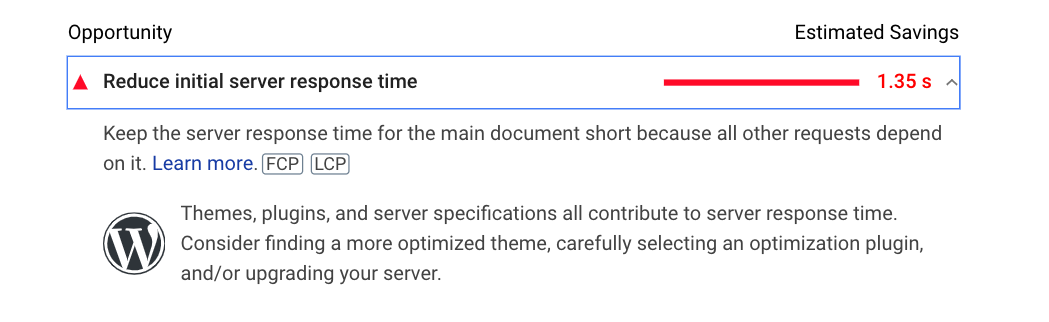
This is a very important factor in web optimization, and the solution is also very simple. Just use any caching plugins available in WordPress, such as W3 Total Cache, or WP Super Cache, etc., along with some CDN services to offload server load on third-party systems like Cloudflare, Cloudfront, etc. You can also use any server-level cache as another caching layer to keep the server response time minimum.
If your site isn’t using WordPress as its CMS, you can use the caching solutions available within your specific CMS. Alternatively, you can rely on server-level caching and CDN services like Cloudflare to achieve similar performance benefits.
There are many caching solutions available; however, it will be wise to monitor and fix the slow MySQL queries to not let the MySQL load affect the performance of the site. You can add object caching to queries also. This will keep the server and MySQL load normal.
The page cache layer will help load the page faster once the page cache is generated. So when the first page loads, it might take 3 or more seconds to send a server response. But when the page is cached, the server response can be less than 3 seconds; in some cases it can be even less than 1 second.
On the other hand, if you do not use any kind of cache layer, the initial server response will always be more than 3 seconds, and then the FCP and LCP will get affected badly.
As you know, FCP (First Contentful Paint) refers to the time it takes for the page to render and display the first visible element. This value is usually on the higher side, and when PageSpeed Insights detects that FCP and LCP consistently take more than 3 seconds, it classifies the performance as either “poor” or “needs improvement.”
While Google primarily evaluates LCP and not FCP, it’s still beneficial for users to see that something is loading on the webpage. Early visual feedback reassures users that the page is working as expected and that the full content will appear shortly. When a webpage begins displaying content as early as possible, users are more likely to interact with it—whether that’s scrolling, tapping, or clicking.